
Table of Contents
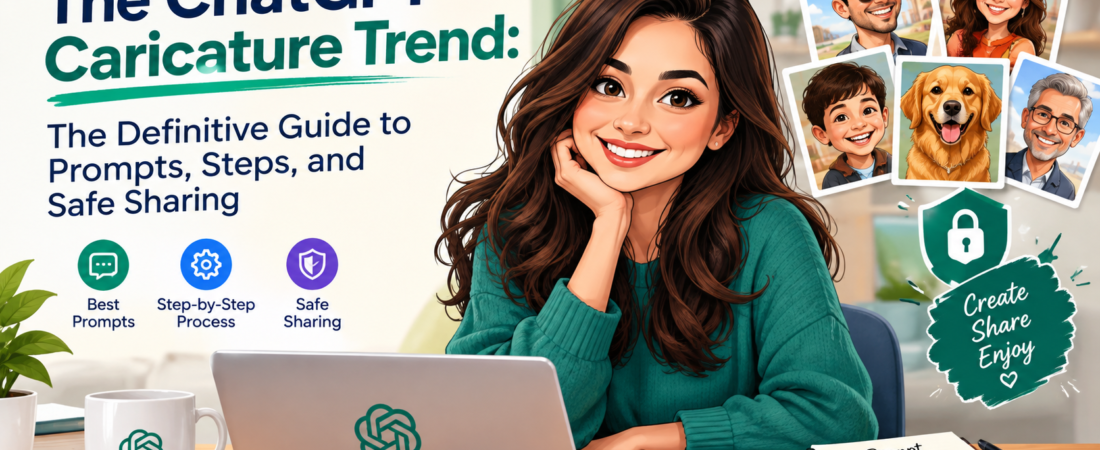
If you’ve scrolled through Instagram or LinkedIn lately, you’ve probably already seen coworkers turned into cartoon versions of themselves, surrounded by laptops and coffee mugs. What most guides skip is how to get a result that actually looks like you, and what you share with the AI along the way. In this guide, we’ll explain the exact prompts that work, how to personalize your caricature even with no chat history, and how to join the trend safely.
Key Takeaways
- The ChatGPT caricature trend is a viral AI trend in which users generate an exaggerated cartoon portrait of themselves and their job, which took off in early February 2026.
- The core prompt is “Create a caricature of me and my job based on everything you know about me,” and ChatGPT usually asks for a selfie.
- Caricatures look more personal when ChatGPT has a long chat history, because it draws on your stated job, hobbies, and tools.
- Users with little chat history get better results by describing their profession, props, setting, and art style in the prompt.
- Follow-up prompts can change the style, exaggeration level, background, and color palette of any result.
- Uploading selfies and sharing job details with an AI tool involves privacy trade-offs, so keep details generic and review your data settings.
- The trend follows earlier ChatGPT image crazes, such as the March 2025 Starter Pack trend, which shows that simple prompts and personalization drive virality.
What Is the ChatGPT Caricature Trend?
The ChatGPT caricature trend is a viral AI image trend in which users ask ChatGPT to create an exaggerated cartoon portrait of themselves and their job. The trend exploded in February 2026 — Source: CyberLink, 2026. Users type one short prompt, upload a selfie, and receive a humorous illustration built around their appearance and profession.
Moreover, the result goes beyond a face filter. ChatGPT can use details from your past conversations, so a marketer might get a cartoon surrounded by analytics dashboards, while a teacher might get a desk piled with graded papers. If you want to understand why this works, read our explainer on how ChatGPT memory works.
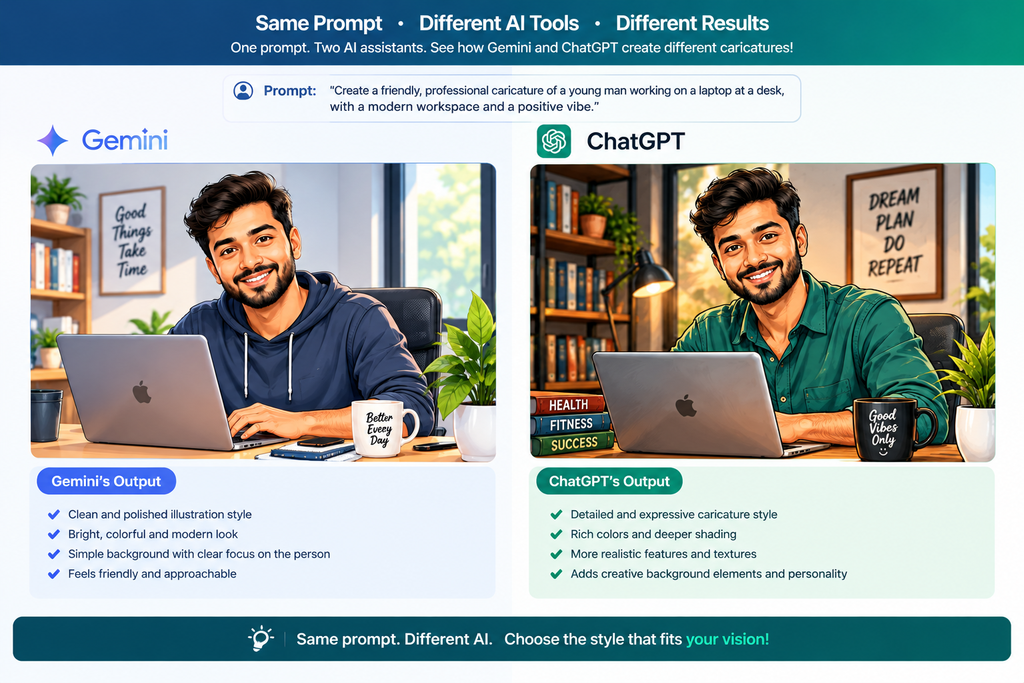
The same prompt also works on other AI tools. For example, The Straits Times reported that it works on Google Gemini too — Source: The Straits Times, 2026.

Why Did the ChatGPT Caricature Trend Go Viral?
The trend went viral because it combines personalization, humor, and zero design skill into one shareable image. Gulf News described the images flooding Instagram, LinkedIn, X, and WhatsApp — Source: Gulf News, 2026. People enjoy seeing a funny, flattering, or slightly brutal version of their work life, and they love sharing it.
First, the barrier to entry is tiny. You need one sentence and one photo, with no editing app or drawing tools. Second, the output feels personal. Plus, the trend fits a pattern: Kapwing notes it follows the ChatGPT Starter Pack trend of March 2025 — Source: Kapwing, 2025.
Viral AI trends spread when they turn a user’s identity into a simple, repeatable prompt. For a closer look at earlier waves, see our guides on Studio Ghibli style photos in ChatGPT and the ChatGPT action figure trend
How Do You Make a Caricature of Yourself With ChatGPT?
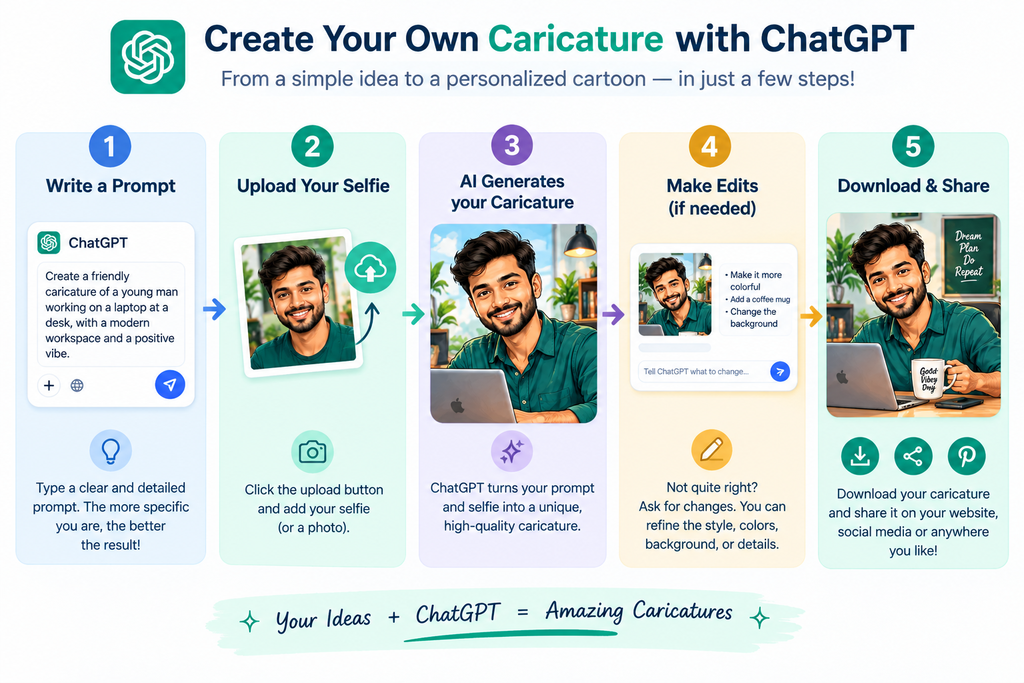
You make a ChatGPT caricature by pasting the viral prompt into ChatGPT, uploading a clear selfie, and refining the result with follow-up prompts. The process takes only a few minutes. Let’s walk through it.
What Are the Steps to Create Your Caricature?
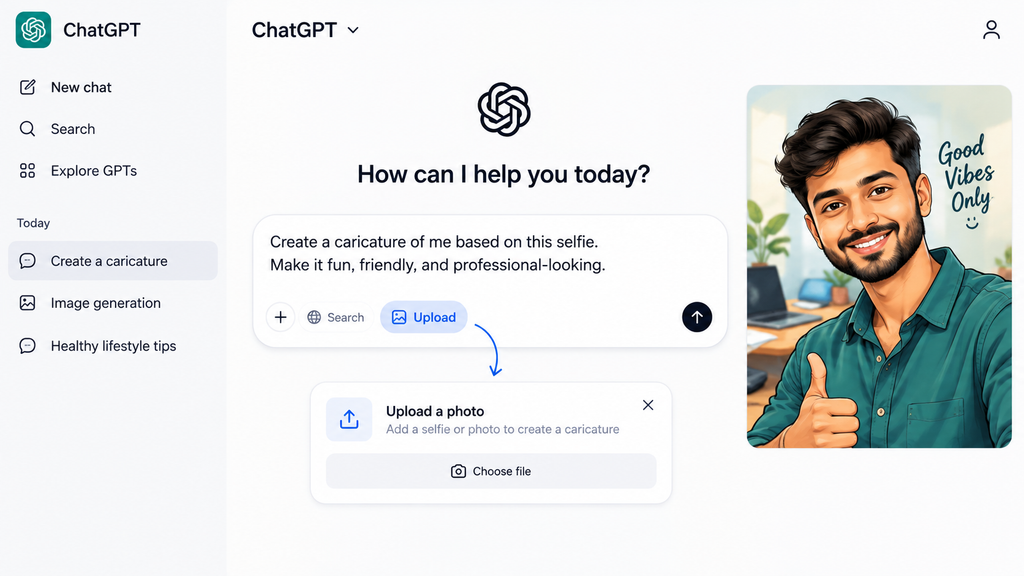
First, open ChatGPT in your browser or app. Next, paste this prompt:
Create a caricature of me and my job based on everything you know about me.
Then, upload a clear, front-facing selfie when ChatGPT asks for one. After that, wait for the image to generate. Finally, review the result and send a follow-up if you want changes. For better wording, see our guide to ChatGPT image generation prompts [Internal link: “ChatGPT image generation prompts” → guide to writing effective AI image prompts].
Do You Need a Paid Account to Make an AI Caricature?
You do not need a paid account to make an AI caricature, but free accounts have daily image limits. At the time of the trend’s rise, Good Things Guy reported that free ChatGPT users could generate up to 5 images per day — Source: Good Things Guy, 2026. Limits change often, so check OpenAI’s current plan details before you start.
For example, if your first image misses the mark, save your remaining free generations for precise edits rather than starting over.

What Are the Best ChatGPT Caricature Prompts to Copy and Paste?
The best ChatGPT caricature prompts name your job, your props, your setting, and your preferred art style. The viral prompt works well when ChatGPT knows you. Otherwise, specific prompts perform better.
Here are prompts worth testing:
- Viral original: “Create a caricature of me and my job based on everything you know about me.”
- Starting fresh: “Create a colorful caricature of me as a tech journalist who reviews gadgets and shoots short videos for social media.”
- Roast edition: “Create a funny, slightly roasting caricature of me at work, based on what you know about me.”
- Teacher: “Turn the provided photo into a warm and expressive teacher caricature.”
- Pilot: “Create a caricature drawing of a pilot from my provided photo.”
- Travel lover: “Create a travel-themed caricature using my provided photo.”
- Gym fan: “Create an energetic caricature using my photo as a reference.”
Some of these prompts come from published prompt collections, so adjust each one to your own job and style. Add your own details, such as “holding a stethoscope” or “surrounded by code editors.” For more ideas, see our guide on ChatGPT for professionals
How Can You Get a Good Caricature With No Chat History?
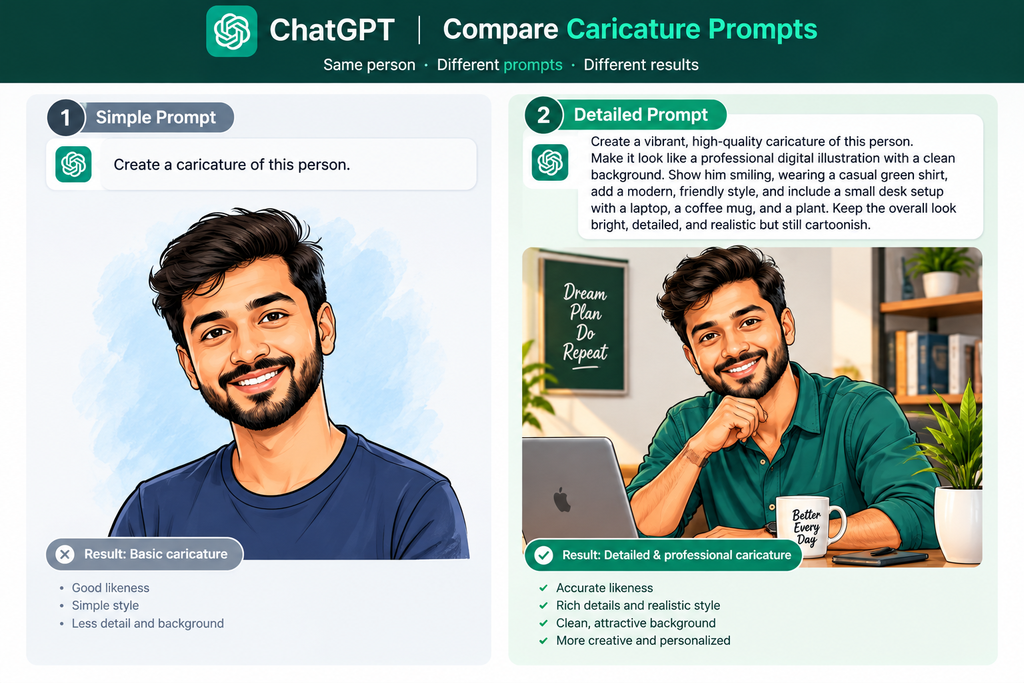
You can get a good caricature with no chat history by describing yourself and your work directly in the prompt. The Croma Unboxed guide notes that results can still be good with little history, though the prompt controls how surprising or predictable they are — Source: Croma, 2026.
For example, write: “Create a caricature of me as a freelance graphic designer with a tablet, three coffee cups, and a cluttered desk, in a bold cartoon style.” This gives ChatGPT the same context that long chat history would.
By adding job, hobbies, props, setting, and mood, you can match the personalization of long-time users. For more tips, read our AI prompt writing tips .
How Do You Edit or Improve Your ChatGPT Caricature?
You improve a ChatGPT caricature by sending short follow-up prompts that change one element at a time. ChatGPT keeps the conversation context, so you can refine without starting over.
Try these edits:
- “Make the exaggeration stronger on the expression.”
- “Switch to a black-and-white traditional ink style.”
- “Replace the background with a modern open-plan office.”
- “Add a laptop, notebook, and coffee mug.”
Change only one thing per message. This keeps the likeness stable and uses fewer image credits.
Is the ChatGPT Caricature Trend Safe for Your Privacy?
The ChatGPT caricature trend is generally low-risk fun, but it encourages users to share more personal information with AI tools. AI and privacy lawyer Jessica Eaves Mathews warned that doing so can make people “easier to find, easier to map, easier to target” — Source: The Straits Times, 2026.
First, think about what the image reveals: your face, your job, and possibly your workplace. For example, a caricature with your company logo tells strangers where you work. Second, consider what your chat history already holds.
Here is a quick safety checklist:
- Keep job details generic, not employer-specific.
- Avoid sensitive items, such as ID badges or address clues.
- Review your ChatGPT privacy settings and memory controls.
- Use our AI privacy checklist before sharing.
Which Tools Can You Use to Make an AI Caricature?
You can make an AI caricature with ChatGPT, Google Gemini, or dedicated AI image editors. Each tool has different strengths.
| Tool | Best For | Cost Note |
|---|---|---|
| ChatGPT | Personalized results using chat history | Free tier has daily image limits |
| Google Gemini | Trying the same prompt elsewhere | Check current plan limits |
| Dedicated image editors (e.g., MyEdit) | Style consistency, props, resolution | Often free tiers with paid upgrades |
Plus, free tools help you compare outputs before committing. Browse our roundup of free AI image generators and our Google Gemini image prompts guide [Internal link: “free AI image generators” → roundup of free AI image tools; “Google Gemini image prompts” → Gemini image generation guide].
What Should You Do Next After Making Your Caricature?
After making your caricature, you should refine it, check it for privacy risks, and share it where your audience already is. LinkedIn suits professional humor, while Instagram and X reward quick, relatable posts.
For example, post your caricature with a caption about a work habit your colleagues will recognize. For more ideas, see our LinkedIn content ideas with AI. Then, keep watching for the next big format, and browse our list of viral AI trends to try next.

Conclusion
The ChatGPT caricature trend turns a one-line prompt and a selfie into a shareable, personal illustration. To recap, use the viral prompt when ChatGPT knows you, add detail when it doesn’t, refine with small edits, and protect your privacy as you go.